P2i Downstream Dashboard
The Contract Management Portal This is known as Acquittals Dashboard by Suppliers (Funded Organisations). It is also known as the Downstream Dashboard by department staff. provides department users with the ability to set up and manage contracts; assess acquittals; recommend, allocate and manage payments; manage the a department's budget, and perform annual adjustments.
Options to access the Contract Management Portal
Users can:
-
log directly into the Contract Management Portal
This is known as Acquittals Dashboard by Suppliers (Funded Organisations). It is also known as the Downstream Dashboard by department staff. 
-
access it from the Buyer Portal

refer to Login to Sourcing
P2i Main Dashboard >
 P2i Downstream > P2i Downstream Dashboard
 -
click the link within the received email notification - link will direct to the area of the Contract Management Portal
This is known as Acquittals Dashboard by Suppliers (Funded Organisations). It is also known as the Downstream Dashboard by department staff. where the user is to perform the task requested.
Contract Management Portal Dashboard
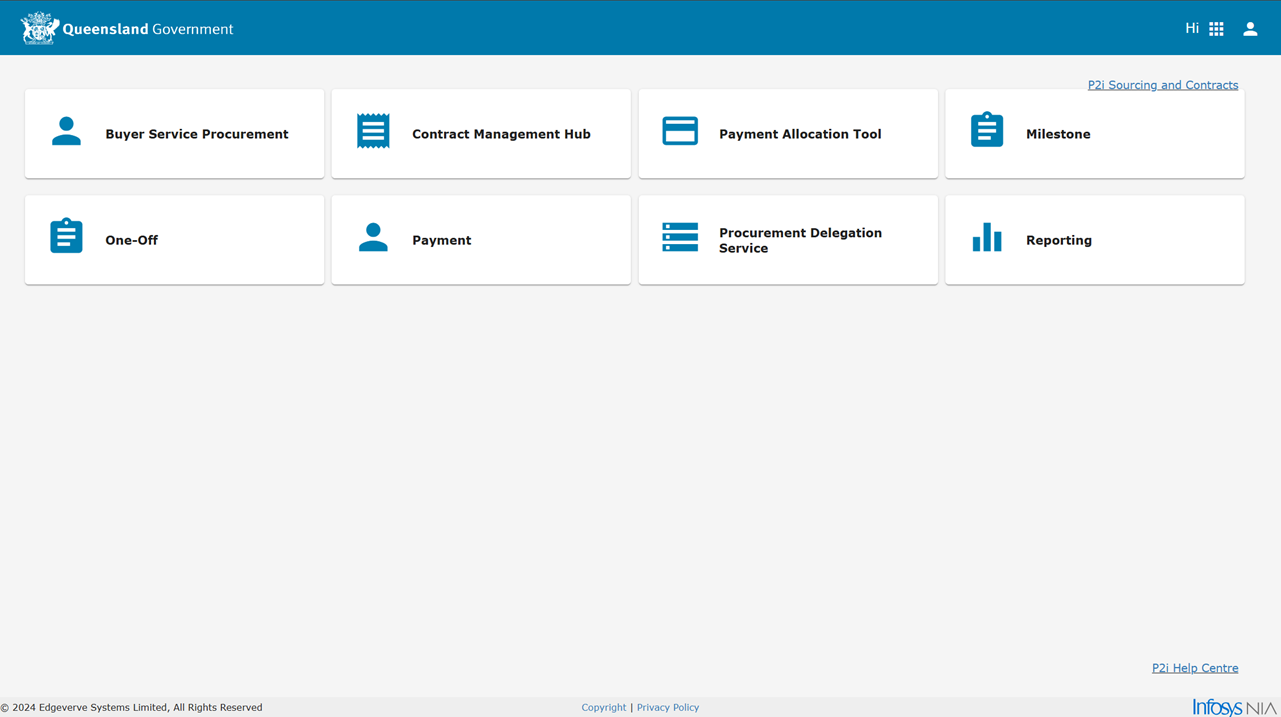
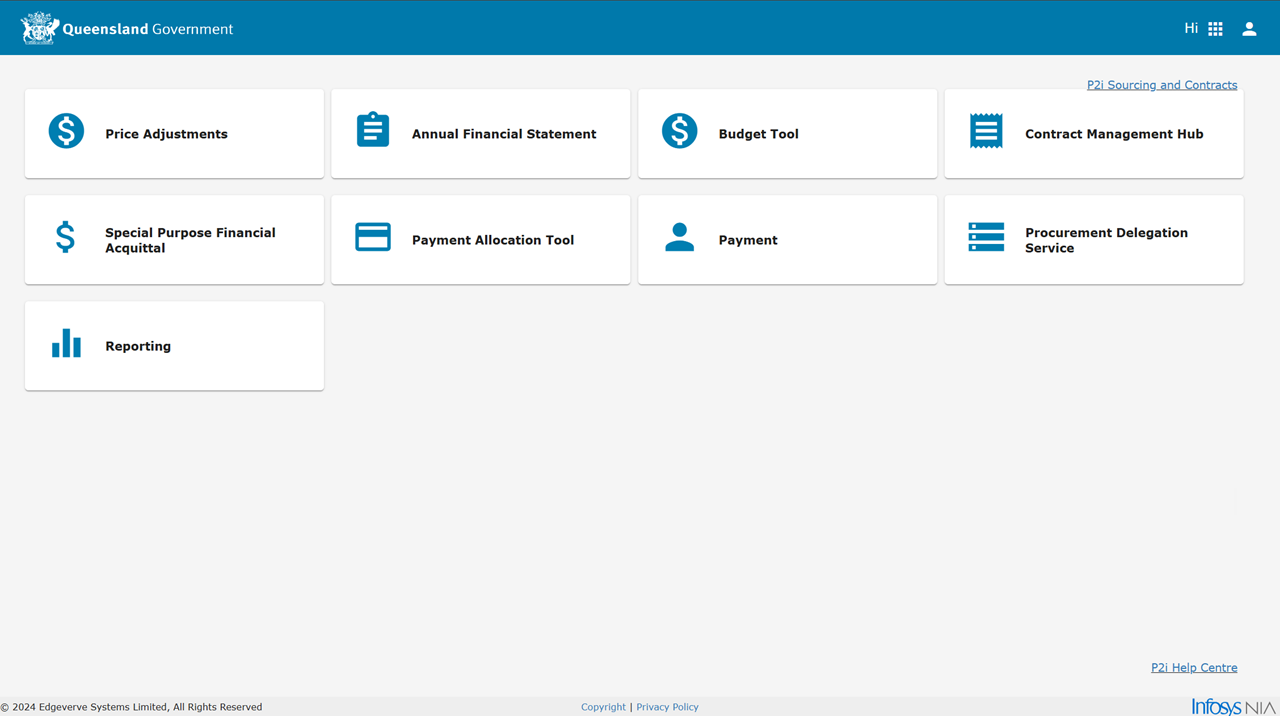
After logging in or navigating to the Contract Management Portal, the dashboard displays a number of Applications (Apps) which are dependant upon the P2i access role held.
P2i Contract Officer and P2i Contract Manager's homepage dashboard view.
P2i Payment Allocation Officer's homepage dashboard view.
Downstream Dashboard Applications (Apps)
Each departmental user is provided with access to appropriate applications (apps) within the Downstream Dashboard to effectively perform their role.
Note A department user receives a relevant set of apps based on the assigned role. Refer to P2i Roles.
These applications are:
| Application (App) | App name / Description |
|---|---|
|
Home Page (CLP) Provides access to the P2i Downstream Dashboard's Home Page. If this is the default page for a user, the user can access other Downstream Dashboard Applications from here, otherwise the user will need to use the app switcher icon ( |
|
|
|
Contract Management Hub (CIB) The Contract Management Hub lists all P2i contracts the department has with Funded Organisations. |
|
|
Price Adjustments (AAJ) This area is involved in the process of indexing payments (annual adjustment) or increasing/decreasing contracted amounts of future payments (other adjustments). |
|
|
Annual Financial Statements (AFB) Allows the department to reject or accept a Funded Organisation's annual finance statements (including the Annual Audited Financial Statement and the Annual Acquittal Statement). Refer to Annual Financial Statement (Acquittal) - Process overview. |
|
|
Budget Tool (BDT) Used to manage and certify funds are available in the budget. Refer to Budget Tool. |
|
|
Buyer Service Procurement (BSP) Lists all performance based acquittals (PBA) submitted by Funded Organisations. These appear in the form of work items and are assessed, rejected or approved by the department. |
|
|
Dashboard (DBB) The Dashboard provides the ability to find outstanding work:
Refer to Dashboard App. |
|
|
Special Purpose Financial Acquittals (FAB) Lists all Financial Acquittals (FA) submitted by Funded Organisations. These appear in the form of work items and are rejected or approved by the department. Refer to General or Special Purpose Financial Acquittal - Process overview. |
|
|
Investment Specification Framework (ISF) xxxx |
|
|
Master Data Framework (MDF) xxxx |
|
|
Milestone (MSB) Lists all milestone reports submitted by Funded Organisations. These appear in the form of work items and are endorsed, rejected or approved by the department. Refer to Milestone Report - Process overview. |
|
|
One-Off (OOB) Lists all one-off reports submitted by Funded Organisations. These appear in the form of work items and are endorsed, rejected or approved by the department. Refer to One-Off Report - Process overview. |
|
|
Payment (PAY) Reconcile payments between the accounting system (SAP) and P2i. Refer to Reconcile payments. |
|
|
Procurement Delegation Service (PDS) This area allows the user) to locate work items Refer to Delegate (reassign) work items. |
|
|
Reporting (RPT) The multiple P2i reporting options enable running RN or Operational reports. Refer to Running reports in P2i |
 ) to navigate to another app.